-
Flutter Back ButtonFlutter/mobile 2020. 5. 13. 19:32
In the case of Android, there is a function that moves to the previous page (Activity) by pressing the Back Key or Back Button on the bar at the bottom.

In Java or Kotlin, you can make the back key ignorable using the onBackPressed or onKeyDown function.
Or you can double click to quit.
It is said that a class called WillPopScope is used to use these functions in Flutter.
WillPopScope is said to be a class that prevents you from returning to the previous route.
There are two ways to use this method.
-
Wrapping the Scaffold with WillPopScope
-
Put WillPopScope in the body of Scaffold
// 1. Scaffold wrapping with WillPopScope

import 'package:flutter/material.dart';

void main() {
	runApp( MaterialApp(home: MyApp()) );
}

class MyApp extends StatefulWidget {
	@override
	_MyAppState createState() => _MyAppState();
}

class _MyAppState extends State<MyApp> {
	String _msg = 'Welcome to WillPopScope World';

	@override
	initState() {
	super.initState();
	}
	@override
	Widget build(BuildContext context) {
	return WillPopScope(    // <-  WillPopScope로 감싼다.
		onWillPop: () {
			setState(() {
			_msg = "You can not get out of here! kkk";
			});
			return Future(() => false);
		},
		child: Scaffold(
		appBar: AppBar(
			title: const Text('WillPopScopeTest'),
		),
		body: Center(
			child: Text(_msg),
		),
		),
	);
	}
}
// 2. Put WillPopScope in the body of Scaffold import 'package:flutter/material.dart'; void main() { runApp( MaterialApp(home: MyApp()) ); } class MyApp extends StatefulWidget { @override _MyAppState createState() => _MyAppState(); } class _MyAppState extends State<MyApp> { String _msg = 'Welcome to WillPopScope World'; @override initState() { super.initState(); } @override Widget build(BuildContext context) { return Scaffold( appBar: AppBar( title: const Text('WillPopScopeTest'), ), body: WillPopScope( // <- Scaffold body만 감싼다. child: Center( child: Text(_msg), ), onWillPop: () { setState(() { _msg = "You can not get out of here! kkk"; }); return Future(() => false); }, ), ); } }execution result
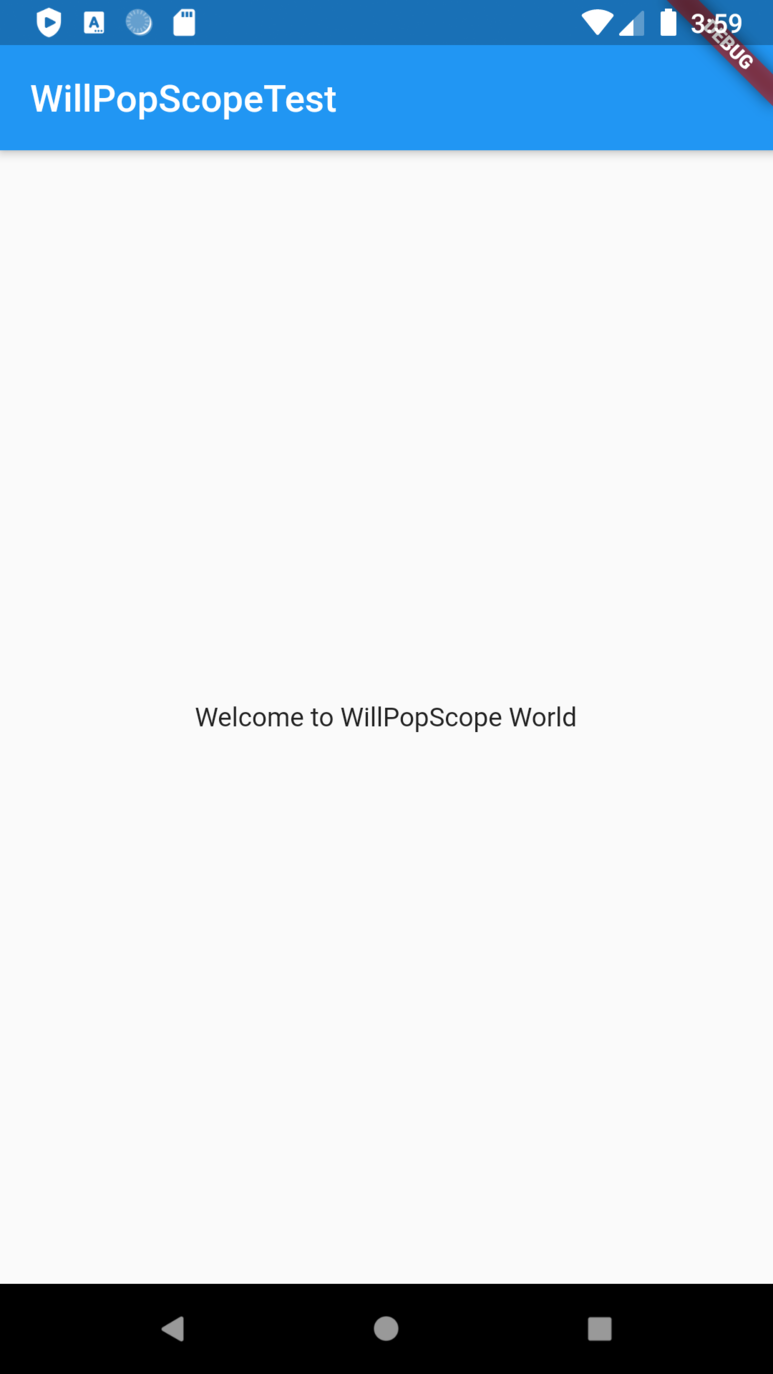

Left: Start screen, Right: Back Button is pressed
The results are the same.
However, it also blocks the previous button on the App Bar as shown below.
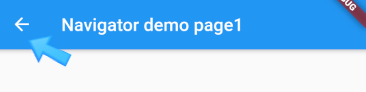
In this case, you can solve it by directly implementing the leading item of the App Bar as shown below.
... ... ... return Scaffold( appBar: AppBar( title: Text('demo page1'), leading: //<- leading 항목을 직접 추가 IconButton( icon: Icon(Icons.arrow_back), // <- 아이콘도 동일한 것을 사용 onPressed: () { Navigator.pop(context); // <- 이전 페이지로 이동. }, ), ), body: WillPopScope( onWillPop: () { return Future(() => false); }, child:Center( ... ... ... ), ), );'Flutter > mobile' 카테고리의 다른 글
Flutter App Screen Size (0) 2020.05.13 Flutter Singleton class (0) 2020.05.13 Modifying the Flutter package-applied as an internal project (0) 2020.05.12 Modifying the Flutter package-with GitHub (0) 2020.05.12 Flutter QR Code Scan Simple example (0) 2020.05.12 -